
Built by an estimator with 40 years of field & estimating experience

Industrial equipment setting estimates, without the spreadsheet grind

A complete estimating system for equipment setting contractors — a labored manhour database, crew rates, productivity factors, and bid-ready reports. One file. No cloud. Your estimates never leave your machine.

Try the 10-day demo See the reports
1,583Labored manhour items
27Equipment categories
7Bid-ready reports
1 fileNo cloud · no subscription
What it is

Forty years of setting judgment, in a spreadsheet-style sheet you already know

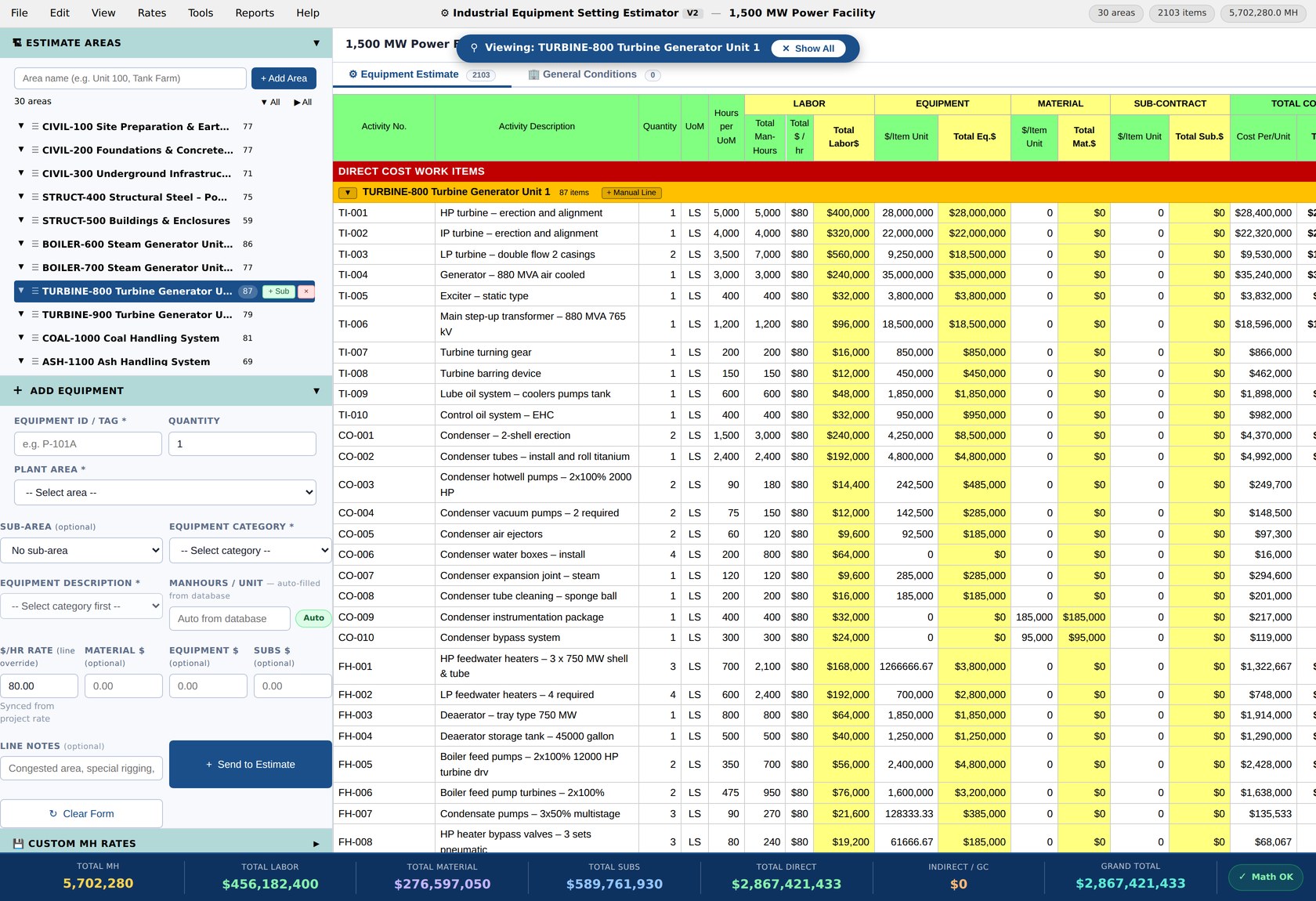
The Industrial Equipment Setting Estimator (IESE) opens in any browser and works like the sheet you've always used — line items, plant areas, live totals — except every line pulls from a labored manhour database built on real field production across vessels, exchangers, rotating equipment, packaged units, and more.

Pick the category, enter the size, and the manhours are there. Override anything. Every calculation is a live chain a chief estimator can audit — no hidden numbers, no black box.

It's just as fast for early-phase pricing — build FEL (Front-End Loading) and FEED (Front-End Engineering Design) estimates in minutes, then tighten them as the scope firms up.

The built-in rates give you a proven starting point. When you're ready, load your own crew rates, wage scales, and productivity factors — and every estimate prices to your company's numbers.

IESE Sheet View — the 1,500 MW Power Facility example estimate open in the app
Watch the demo

A complete bid, start to finish, in 14 slides

Watch the 1,500 MW Power Facility estimate come together — 2,103 line items, 30 plant areas, 5.7 million man-hours — from takeoff through the bid recap. It plays on its own; click to pause, use the arrows to jump around.
Features

Everything between the takeoff and the bid

Purpose-built for equipment setting scopes — not adapted from general construction software.

1,583-item labored database

Twenty-seven categories of industrial equipment with manhour rates proven on real work, not textbook guesses. Sized entries, sensible interpolation, and full override control on any line.

Crew & trade rate differentiation

Seven standard crews with category mapping — millwrights, boilermakers, ironworkers, and more — each carrying its own labor rate through the estimate and into the By-Crew bid recap.

Productivity factors (AACE RP 25R-03)

Stack site-condition factors — congestion, elevation, weather, shift work — using industry-recognized methodology, applied by plant area with visible band indicators.

Labor rate buildup

Build your blended rate from base wage, burden, fringes, and per-diem in a dedicated modal — so the rate on the sheet is defensible line by line at bid review.

Seven bid-ready reports

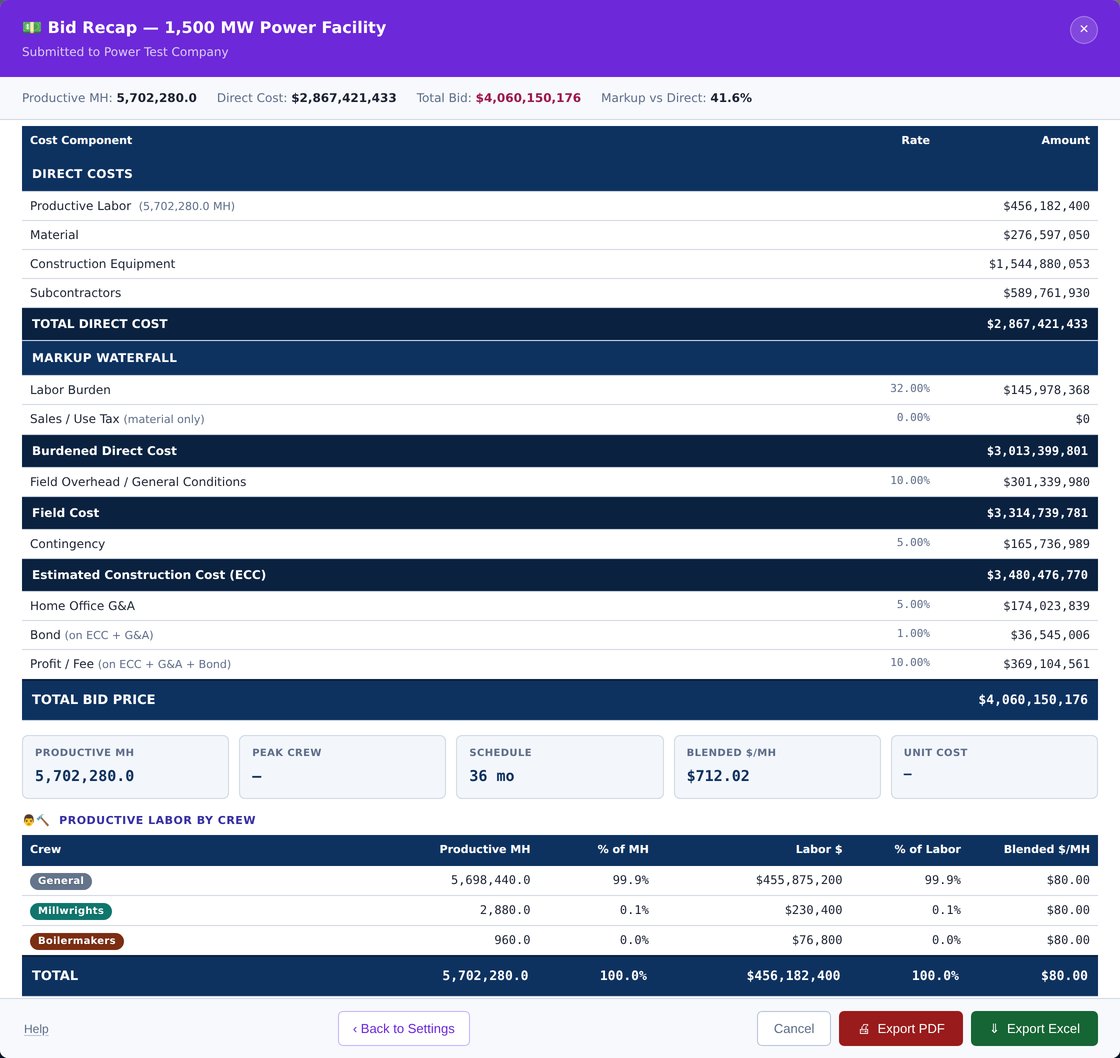
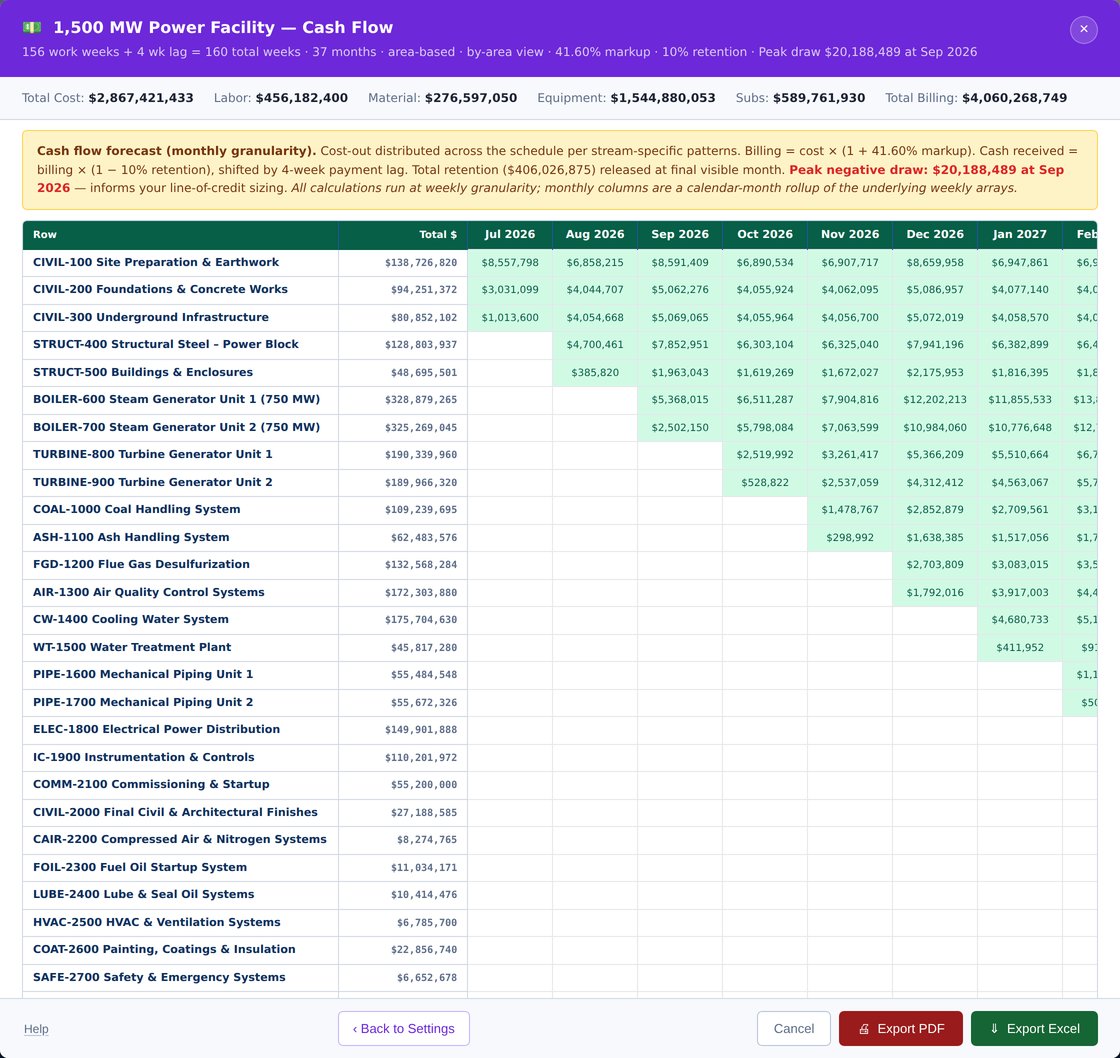
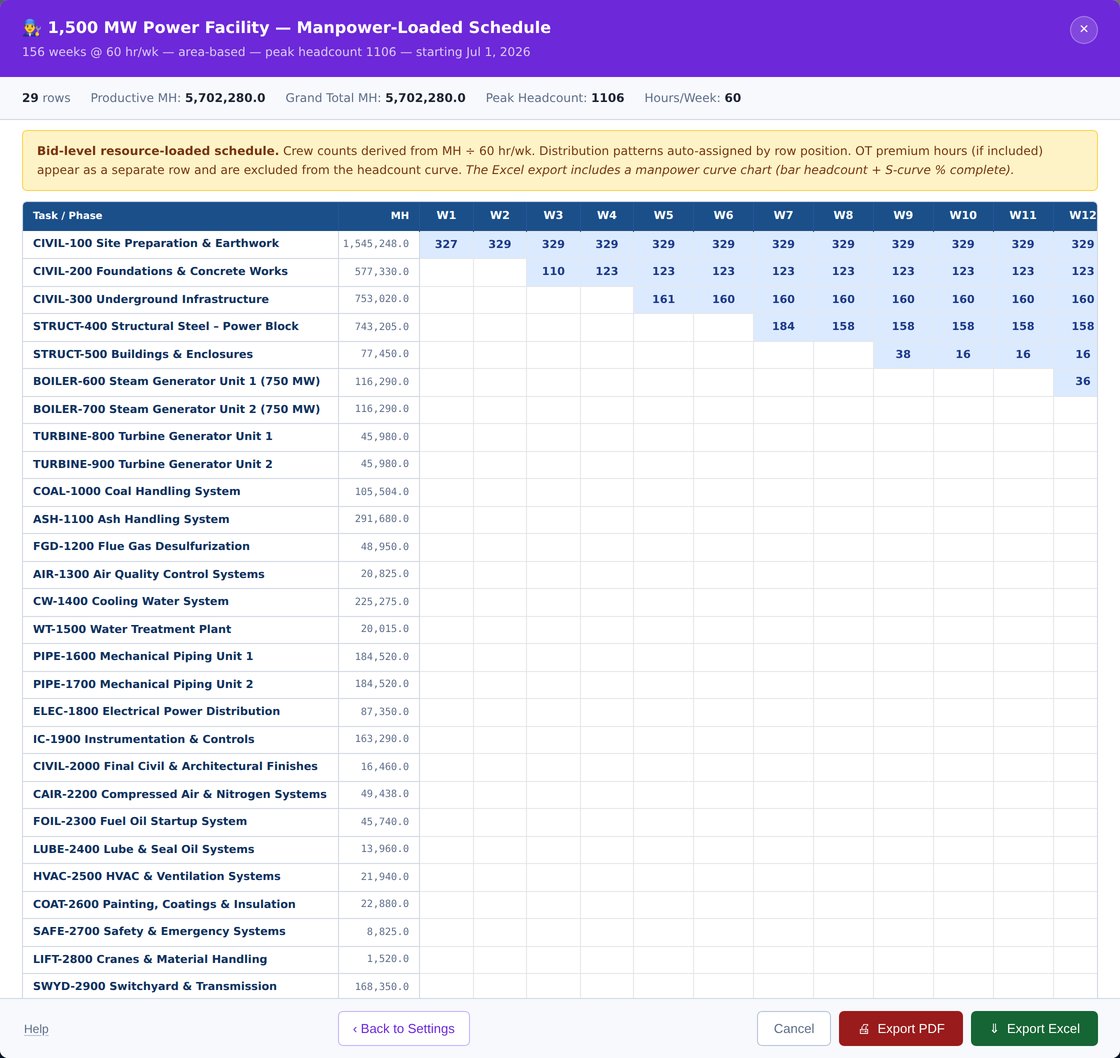
Bid Recap with full markup waterfall, Detailed Takeoff, Cash Flow with combo charts, Manpower-Loaded Schedule, Gantt, Threshold Filter, and Section Export — each to Excel or PDF with live formulas, never static values.

Add your own items

If an item isn't in the database, add it — your description, your unit, your manhours. Custom items sit right alongside the built-in ones and carry through every report, so the database grows with your work.

Import your equipment list from Excel

Already have the equipment list in a spreadsheet? Import it straight into the system and start estimating from it immediately — no retyping tag numbers, descriptions, or quantities line by line.

One file. No cloud.

The entire application is a single HTML file that runs offline in any modern browser. Automatic background snapshots every 15 minutes protect your work. Your bids stay on your machine — period.

Reports

Real output, from a real 2,103-line estimate

Every screenshot below comes straight from the app running the 1,500 MW Power Facility example — 30 plant areas, 5.7 million manhours, a $4.06B bid. Click any report to see the full gallery.
See all seven reports

Need a report your company runs that isn't here? Custom reports can be built for your company for an additional feeask about custom reports.

Crew setting a large vessel at dusk
Who built it

Written by the guy who priced the work, not a software company

IESE was built by an industrial construction estimator with 40 years of pricing equipment setting scopes — power plants, mills, process facilities. The manhour database is a career's production history, organized so another estimator can use it on day one.

There's nothing like it on the market. The real competition is the Excel workbook every setting estimator built themselves — and keeps patching. IESE is that workbook, finished: the database labored, the math audited, the reports ready for a bid review.

Straightforward pricing

One-time license. No subscription, no per-bid fees, no cloud account.
Launch pricing — until Oct. 15, 2026

Single seat

$1,295$995
per seat · one-time
  • Full 1,583-item labored database
  • All seven reports, Excel + PDF
  • Licensed to one estimator
  • Free updates through launch year
Start with the free demo

Company license

$4,995
unlimited seats · one company · one-time
  • Everything in Single Seat
  • Install for your whole estimating group
  • One license file for the office
  • Priority email support
Ask about company licensing
Optional annual maintenance (updates + database additions) available at roughly 20% of list. Never required — your license never expires.
Free demo

Try it on your own bid for 10 days

The demo is the full application with a restricted sample of the manhour database — a handful of items in each of the 27 categories, enough to test every feature and run every report on your own numbers. It expires after 10 days. The complete 1,583-item database comes with your license. Enter your details and your download link arrives by email. No card, no call.

10-day trial · sample database · runs offline in your browser · nothing installed
Crawler crane setting a spherical vessel at dusk

Support

Questions about the demo, licensing, or whether IESE fits your scope? Email and you'll hear back from the estimator who built it.

[email protected]  ·  [email protected]